
Available to Registered Students and Licensed Pilots with login credentials only. You will be asked for login credentials to complete a booking. Access to the online schedule is granted once you have completed all registration requirements and are approved by Moses Aviation staff.
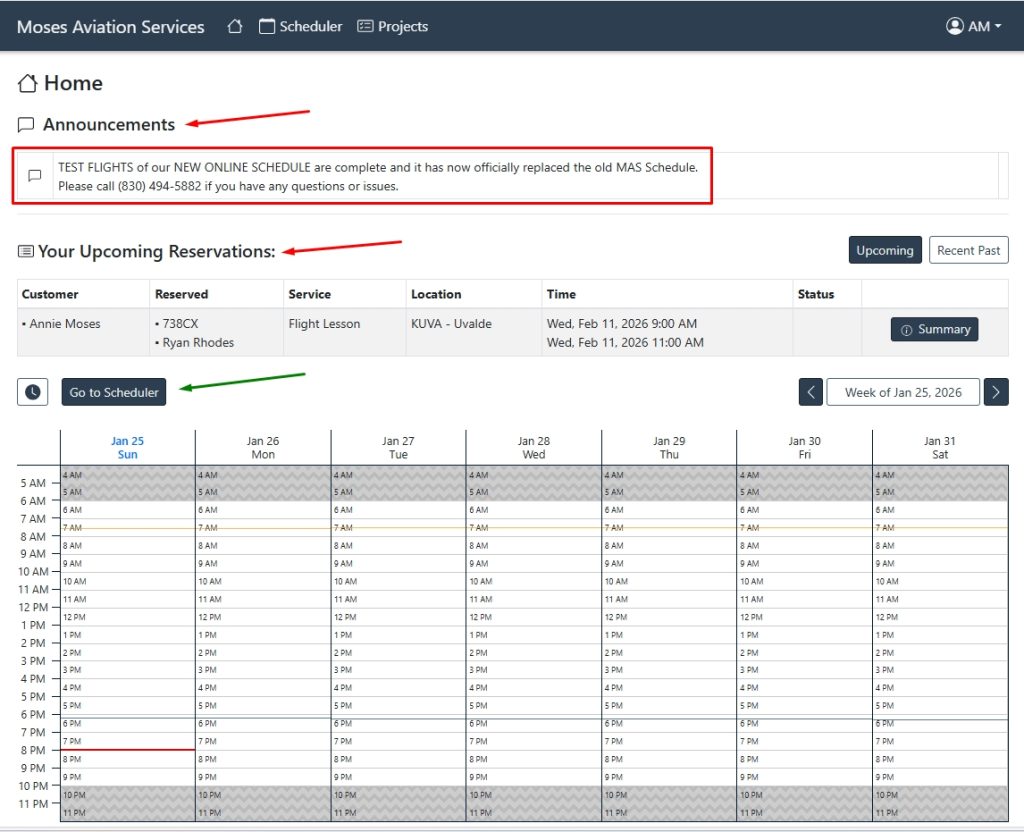
Announcements and Your Upcoming Reservations are Displayed at the Top
DIRECTIONS:
1) Click on HERE to Open the Online Schedule in a New Tab
1) Sign In [call (830) 494-KUVA if you need help logging in for the first time]
2) Click GO to SCHEDULER and MAKE RESERVATION
3) Select FLIGHT or GROUND Lesson
4) Choose the Appropriate SERVICE TIER for Your Lesson
5) Choose Your Preferred AIRCRAFT
6) Choose Your INSTRUCTOR
7) Choose the TIME for Your Lesson
7) Select the TRAVEL TIME (round up)
9) Select WHERE You are Driving From
10) Click NEXT and Double Check the Details
11) Click MAKE RESERVATION
You will now be able to view your account and payment history,
starting January 1, 2026. Call or text for billing history prior to this year.
Want to share your love of aviation? Give the gift of a Discovery Flight today! Call (830) 494-5882